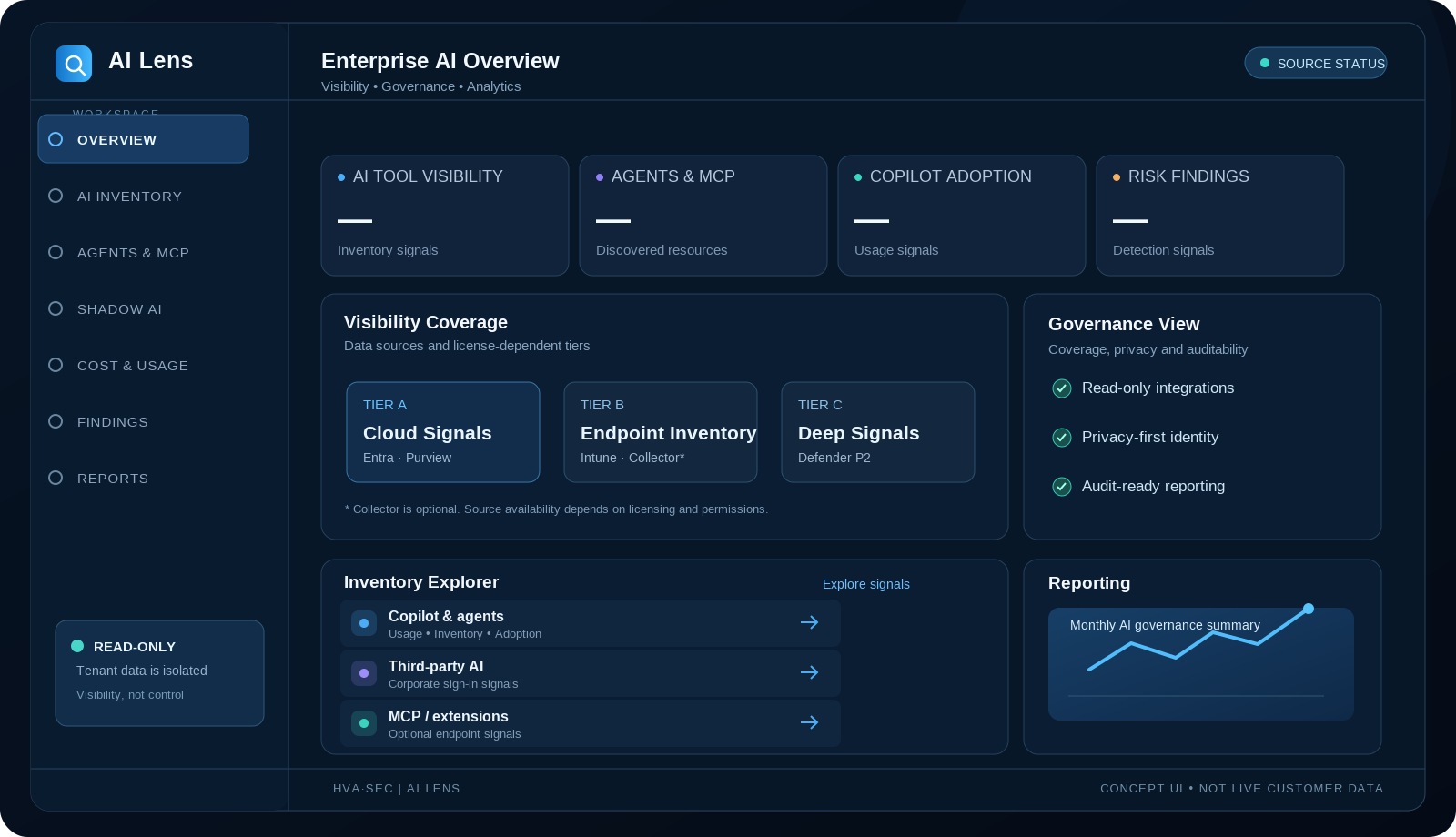
CAPABILITIES
From inventory to governance follow-up
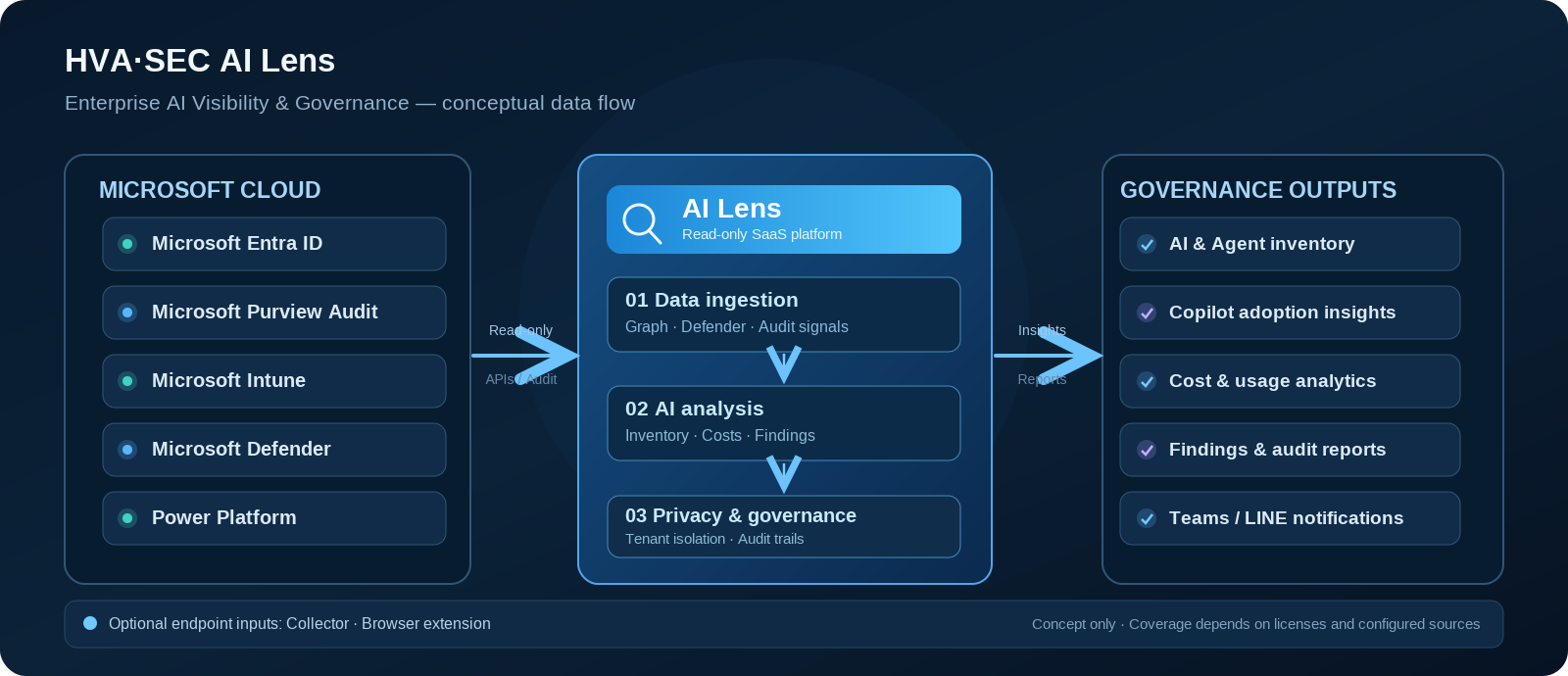
Connect available cloud, device and browser signals to understand which AI tools are used, how they are used and what needs attention.
◈AI tools & Shadow AI inventory
Organize installed AI applications, cloud AI services and supported browser activity to understand usage across available sources.
- Review tool types, devices and departments
- Inspect AI application OAuth grants and permissions
- Classify tools as approved, tolerated or unapproved
⌘Agent & MCP inventory
Bring together local agents, MCP servers and available cloud-agent information to understand tools, connections and governance ownership.
- Review MCP sources, transports and configuration signals
- Inspect broad permissions, unauthenticated agents and review priorities
- Connect available creator department and usage context
▤Copilot adoption & AI cost insights
Use reports and available cost information to review Copilot adoption, license utilization and Copilot Studio usage.
- Review adoption, activity and idle licenses
- Organize Studio credits, cost estimates and budget usage
- Distinguish estimates from invoices and identify data gaps
◇Risk findings & prompt signals
Organize review priorities from tool settings, application permissions and prompt events on supported websites.
- Review high-privilege OAuth, unknown MCP hosts and exposed AI services
- Surface sensitive-data and security signals from enabled sources
- Mask API keys on devices; default prompt capture to metadata
▦AI governance register & review
Connect inventories to business owners, purpose, risk classification and approval status in an ongoing governance record.
- Maintain AI system and agent registers
- Track review dates and unregistered items
- Record finding reviews, resolution states and audit history
▣Reports, notifications & audit evidence
Turn usage trends, governance status and findings into outputs for administrators, managers and auditors.
- Monthly reports and Excel summaries
- Audit evidence bundles and file checksums
- Notify on new tools, MCP, consent changes and usage anomalies through enabled integrations
Capabilities describe the current product design. Coverage depends on licensing, API permissions, deployed components and modules enabled in staging.